Your Complete Guide to Uploading Custom Gang Sheets for DTF Printing
In the world of custom apparel, the ability to upload your own designs efficiently can significantly enhance your business operations. For small to medium-sized business owners and creative entrepreneurs, understanding how to upload gang sheets for Direct-to-Film (DTF) printing is essential. This process not only saves time but also ensures that your custom designs are printed with the utmost quality and precision, catering to the specific needs of your clients.
As the demand for personalized merchandise continues to grow, mastering the art of uploading gang sheets can give your business a competitive edge. Your clients are looking for unique and high-quality prints, and being able to deliver on these expectations quickly will help you stand out in the crowded market. In this guide, we will explore the intricacies of uploading gang sheets for DTF printing, focusing on best practices, tips, and the tools you need to succeed.
Additionally, this article will address common challenges faced during the uploading process, offering solutions that can streamline your workflow. Whether you are a seasoned professional or just starting in the custom apparel industry, understanding the nuances of DTF printing and gang sheets will empower you to create stunning products that resonate with your audience.
Understanding Gang Sheets and Their Importance
Before diving into the uploading process, it's crucial to grasp what a gang sheet is and why it plays a vital role in DTF printing. A gang sheet is a layout that allows multiple designs to be printed simultaneously on a single sheet of film. This method not only maximizes the use of material but also reduces printing costs, making it a favored choice among apparel decorators.
Utilizing gang sheets can lead to substantial savings on production costs. When multiple designs are printed together, it minimizes waste and optimizes the overall efficiency of the printing process. For businesses looking to offer a variety of designs without incurring high expenses, mastering gang sheets is essential. Furthermore, having a well-organized gang sheet can simplify the workflow, making it easier to track orders and manage inventory.
Moreover, proper utilization of gang sheets can enhance the quality of the prints. When designs are arranged thoughtfully, it ensures that colors are vibrant and that each print maintains its integrity. This is particularly important for small to medium-sized businesses aiming to establish a strong reputation for quality among their customers. Understanding the significance of gang sheets is the first step toward improving your DTF printing process.
What Makes a Good Gang Sheet?
A well-designed gang sheet should be efficient, organized, and tailored to the specific needs of your printing process. Key elements include the arrangement of designs, spacing, and color considerations. Properly spacing designs prevents misalignment during printing, which can lead to wasted material and unsatisfactory results.
Additionally, consider the size of each design in relation to the overall sheet. Ensuring that designs are appropriately scaled not only helps in maximizing space but also allows for better printing quality. When designs are too small, they may not capture details accurately, while oversized designs can lead to cutting issues or excess material usage.
Software Tools for Creating Gang Sheets
To create effective gang sheets, utilizing the right software tools is essential. Programs like Adobe Illustrator, CorelDRAW, and specialized DTF software provide features that facilitate the design and arrangement of graphics. These tools typically offer templates and guides that can help streamline the process, making it easier to create professional-quality layouts.
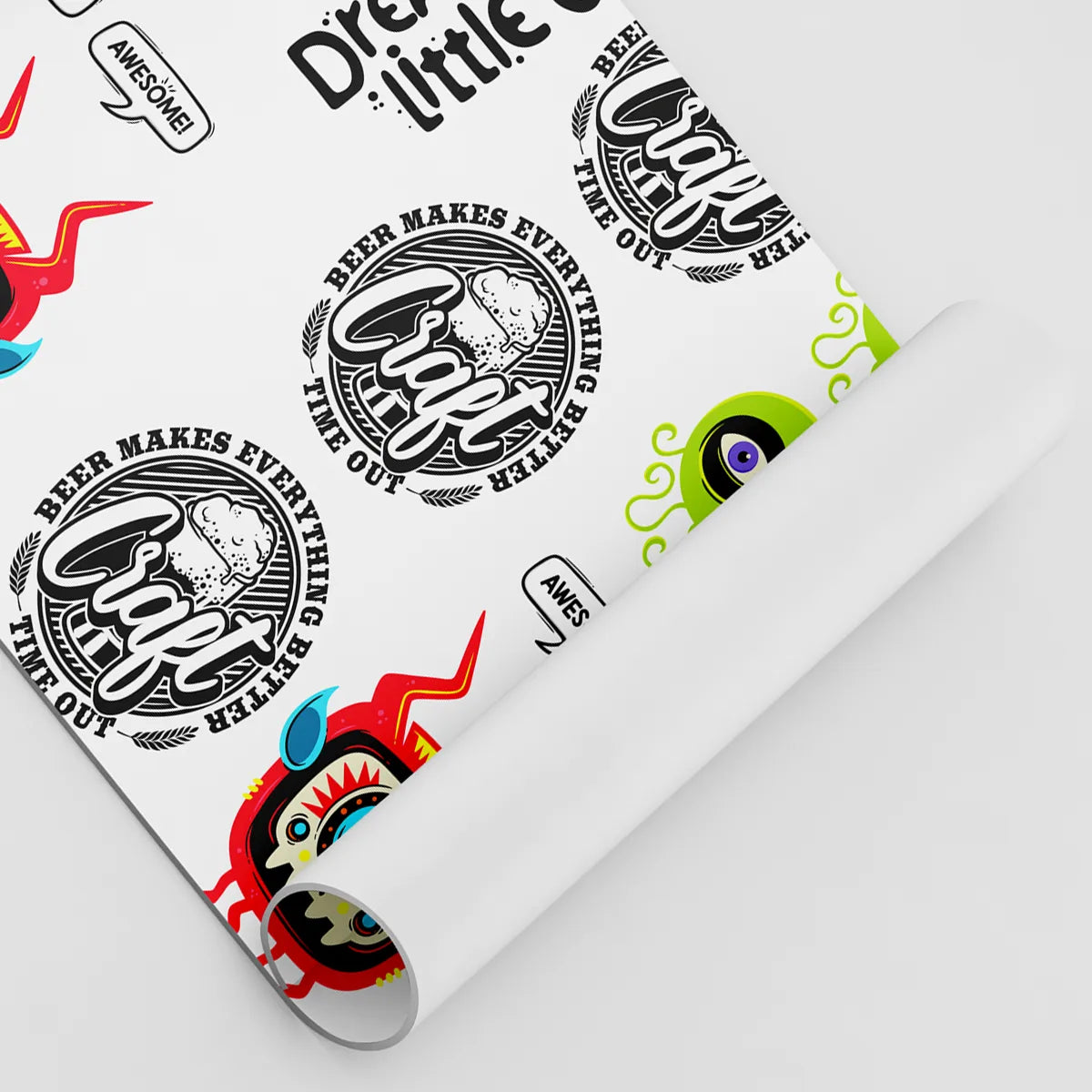
Additionally, many of these programs allow for easy integration with printing machines, which can further enhance your workflow. Being proficient in these tools can significantly reduce the time spent on design preparation and increase productivity in your custom apparel business.
Common Mistakes to Avoid
While creating gang sheets, it's important to be aware of common pitfalls that can compromise the quality of your prints. One frequent mistake is neglecting to check the resolution of your designs. Low-resolution images can result in pixelation and blurry prints, which can tarnish the perceived quality of your products. EazyDTF
Another common error is poor color management. Ensuring that your colors are correctly calibrated between your design software and printing equipment is crucial for achieving the desired results. Misconfigurations can lead to color discrepancies that may disappoint your customers.
Step-by-Step Guide to Uploading Your Gang Sheet
Now that we've covered the importance of gang sheets, let's delve into the step-by-step process of uploading them for DTF printing. This guide will provide a clear pathway to ensure that your upload process is seamless and efficient.
The first step is to prepare your gang sheet in the appropriate format. Most printing services accept files in formats like PNG, TIFF, or PDF. Ensure that your file is saved with the correct color profile, typically CMYK, to avoid color mismatches during printing.
Once your file is ready, navigate to the printing service's upload portal. Many platforms have user-friendly interfaces that guide you through the upload process. Follow the prompts to select your file and input any necessary information, such as quantity and size specifications.
Checking File Specifications
Before finalizing your upload, it's essential to double-check the file specifications required by the printing service. Each provider may have specific requirements regarding file dimensions, resolution, and color modes. Failing to meet these specifications could result in delays or additional costs.
Take the time to confirm that your designs are correctly formatted and ready for printing. This extra step can save you from potential headaches down the line and ensure that your prints come out as intended.
Submitting Your Order
After uploading your gang sheet and confirming all details, proceed to submit your order. Many platforms will provide a confirmation screen summarizing your order details. It's vital to review this information carefully before proceeding to payment.
Once submitted, you will typically receive an email confirmation along with an estimated delivery timeline. Keep this information handy, as it can help you manage your clients' expectations regarding turnaround times.
Tracking Your Order
Most printing services offer order tracking, allowing you to monitor the status of your gang sheet. This feature can provide peace of mind, especially when dealing with tight deadlines. Utilize this tool to stay informed and communicate effectively with your clients about their orders. upload custom dtf gang sheet
Best Practices for Efficient Uploading
To streamline the uploading process and improve overall efficiency, consider implementing best practices that can significantly enhance your workflow. One key practice is to maintain an organized file structure on your computer. Grouping designs into folders based on client names or project types can simplify the upload process and save time when searching for specific files.
Additionally, consider creating templates for your gang sheets. Having a standardized layout not only maintains consistency but also speeds up the design process. This way, you can focus more on creativity rather than spending excessive time on formatting.
Regularly updating your software and tools is also crucial for maintaining efficiency. New software updates often include enhancements and bug fixes that can improve the overall functionality, making the uploading process smoother.
Automation Tools
Incorporating automation tools can further enhance your efficiency. Many modern printing services offer APIs that allow you to automate the upload process, reducing the manual effort involved. This can be particularly beneficial for businesses that handle a high volume of orders.
Integrating these tools into your workflow can free up time for other important tasks, such as marketing or client communication, ultimately leading to a more productive business model.
Quality Control Measures
Implementing quality control measures post-upload can also be valuable. Before finalizing your order, consider performing a visual check of your gang sheet. Make sure that all designs are aligned correctly and that there are no overlapping elements that could affect the print quality.
Additionally, collaborating with your printing partner to establish quality assurance protocols can be beneficial. Regularly communicating about any discrepancies or issues can help maintain a high standard of quality in your prints. EazyDTF Services
Integrating Client Feedback
Client feedback is an invaluable resource that can help refine your uploading process. After completing orders, consider reaching out to your clients for their thoughts on the quality of the prints and the overall service experience. This feedback can identify areas for improvement and help you enhance your offerings.
Furthermore, actively seeking feedback can foster stronger relationships with your clients, making them feel valued and heard. Implementing their suggestions can lead to increased customer satisfaction and loyalty, which is critical for long-term success in the custom apparel industry.
Leveraging Social Media for Feedback
Utilizing social media platforms to gather client feedback can be particularly effective. Encourage your clients to share their experiences and images of the products on social media. This not only provides you with valuable insights but also serves as organic marketing for your business.
Engaging with your clients on social media can enhance your brand's visibility and create a sense of community around your products. This engagement can lead to increased referrals and repeat business, contributing to your overall growth and success.
Building a FAQ Section on Your Website
Creating a frequently asked questions (FAQ) section on your website can also address common queries regarding the uploading process. This proactive approach can help educate your clients on what to expect, improving their overall experience.
Including information about file specifications, turnaround times, and design tips can empower your clients and reduce the number of inquiries you receive. This not only saves you time but also enhances your professional image by providing thorough information upfront.
Table of Common File Specifications for DTF Uploads
| File Format | Resolution | Color Mode |
|---|---|---|
| PNG | 300 DPI | CMYK |
| TIFF | 300 DPI | CMYK |
| 300 DPI | CMYK | |
| JPEG | 300 DPI | RGB |
This table outlines common file specifications for DTF uploads. Adhering to these guidelines can help ensure that your designs are printed accurately and maintain high quality.
Pros and Cons
- Pros:
- Cost-Effective: Using gang sheets reduces material waste and printing costs, allowing for higher profit margins.
- Time Efficiency: Uploading gang sheets streamlines the printing process, enabling quicker turnaround times for orders.
- Quality Control: Properly arranged gang sheets lead to higher quality prints, enhancing customer satisfaction.
- Flexibility: The ability to upload multiple designs simultaneously allows for more diverse product offerings without additional overhead.
- Cons:
- Complexity: Creating gang sheets can be challenging for beginners, requiring a learning curve to master design software.
- Potential for Errors: Misalignment or poor spacing during the design process can lead to print defects and customer dissatisfaction.
- Dependence on Software: A reliance on specific software tools may pose challenges if technical issues arise or if updates change functionalities.
When weighing the pros and cons of using gang sheets for DTF printing, it's clear that there are significant advantages to be gained. However, businesses must also consider the potential challenges they may face during the process. By addressing these concerns proactively, you can maximize the benefits while minimizing the drawbacks.
Frequently Asked Questions
- What is a gang sheet?
A gang sheet is a layout that allows multiple designs to be printed simultaneously on a single sheet of film, optimizing material usage and reducing costs.
- What file formats are accepted for DTF uploads?
Commonly accepted file formats for DTF uploads include PNG, TIFF, PDF, and JPEG, with specifications requiring high resolution and specific color modes.
- How can I improve the quality of my prints?
To enhance print quality, ensure that your designs are high-resolution, properly spaced, and correctly calibrated for color management between software and printing equipment.
- What should I do if my prints do not match my designs?
If prints do not match designs, check the file specifications, color profiles, and calibration settings. Communicating with your printing partner can also help resolve discrepancies.
Conclusion
In conclusion, efficiently uploading your own gang sheet for DTF printing is a valuable skill for anyone in the custom apparel industry. By understanding the intricacies of gang sheets and implementing best practices, you can streamline your workflow, reduce costs, and improve the quality of your prints. Regularly engaging with client feedback and utilizing automation tools can further enhance your efficiency, allowing you to focus on growing your business and satisfying your customers. As you continue to refine your upload process, remember that quality and efficiency are key to standing out in a competitive market.


No comments:
Post a Comment